


Guide
How to play AudioSurf
Where to buy


PC requirements
Can your PC run AudioSurf?
- Minimum RAM:
- 512 MB
- Minimum graphics:
- 32 MB NVIDIA GeForce® 2 (support for Pixel
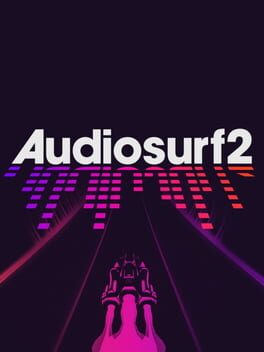
Released in 2008 for PC, AudioSurf, an indie music game, turns your favorite songs into a visual and interactive game. What really sets it apart is its ability to analyze any track in your collection and automatically generate unique game tracks, where blocks appear in sync with the rhythm and intensity of the song. This creates a personalized experience that combines your musical taste with the challenge of the game.
The game has you control a vehicle moving along a track similar to a roller coaster, split into several lanes where colored blocks appear. The goal is to collect these blocks to build up points by forming groups of blocks of the same color for higher scores. Depending on the mode you select, you may also need to avoid certain gray or black blocks that can lower your score or even end your run early. You can control the game with the mouse, keyboard, numeric keypad, or gamepad, so you can set it up to suit your preferences.

When you start, it's worth experimenting with songs you already know well, since they will help you understand how the music relates to block generation on the track. Spend your first hour getting familiar with the controls and the different game modes available. Start on the lowest difficulty to get used to the basic mechanic of collecting blocks before you try more complex challenges.
To progress in AudioSurf, you need to understand how the scoring system works. Points come mainly from collecting blocks and forming groups of three or more of the same color. There are also bonus criteria that can significantly boost your final score, such as clearing the track without leaving any blocks, creating large groups, or collecting every block of a specific color. The bronze, silver, and gold medals you earn on each song show how well you performed and push you to beat your scores.

A common mistake among beginners is trying to collect every block that appears, which often leads to a lower score. It's important to learn how to prioritize certain blocks and form groups efficiently instead of gathering everything indiscriminately. Another common mistake is not exploring the different game modes available, since each one has its own rules and challenges that can change the experience significantly.
To improve, try to anticipate block patterns based on the music, since rhythm and intensity often signal when more blocks or clusters will appear. Experiment with different songs to see how they adapt to various musical styles and how this affects difficulty and the type of tracks generated. It also helps to compare your scores with other players to find new strategies and goals to aim for.

AudioSurf appeals to players who enjoy music games, to those who want a personalized experience based on their own music collection, and to anyone who likes competing for high scores on online leaderboards. Its innovative approach of turning music into gameplay makes it especially appealing to fans of indie games and to people looking for something different from more conventional games.
AudioSurf came out on 15 de febrero de 2008. Platforms, genres and ratings are on the AudioSurf game page.
Related games





Last updated: 6 de noviembre de 2026.
Powered by PairProgramming · custom software development, AI and automation.