Guide
How to play Desktop Explorer
Where to buy


PC requirements
Can your PC run Desktop Explorer?
- Minimum RAM:
- 2 GB
- Minimum graphics:
- Intel Graphics 4400
- Minimum storage:
- 400 MB
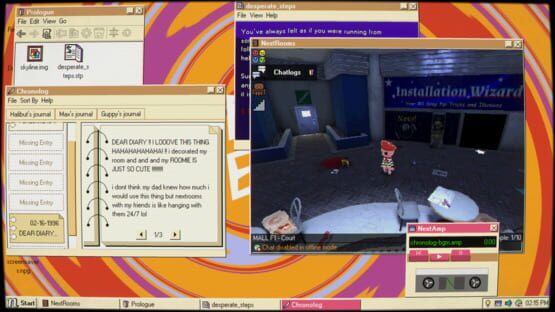
An old computer that still boots up can hide more than it seems, and that is the premise behind Desktop Explorer, an eerie point and click adventure set entirely inside the desktop of an inherited PC. The starting point is an unconventional inheritance: the protagonist's uncle leaves them his old computer, along with a letter asking them to investigate a person's disappearance through a mysterious game called, fittingly, Desktop Explorer. As you go through the abandoned profiles on that machine, you start to suspect that the uncle was not the only one who used it, which adds an extra layer of digital mystery with a nineties look. That format, playing literally inside someone else's computer, is what gives the game its own identity.
As a point and click adventure, your progress depends on examining the environment with the cursor, in this case folders, files and programs stored on the old PC's desktop, in search of clues about the missing person's case. A typical session combines exploring different user profiles with interacting directly with old software, including the game called Desktop Explorer itself that appears inside the computer and works as another level of investigation. This game-within-a-game structure forces you to pay attention both to what happens on the surface of the desktop and to what is hidden in the programs you open along the way.
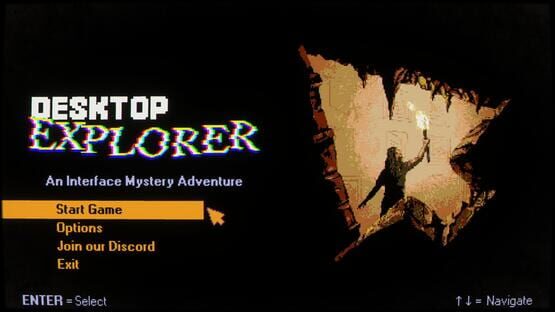
It pays to read the letter that kicks off the story carefully during your first hour, since it explains both the assignment to investigate the disappearance and the first clues about the inherited machine itself. Exploring the first available user profile without rushing your clicks helps you understand how the desktop's navigation works, something central to the rest of the adventure. Opening the Desktop Explorer program that appears inside the PC is another good early task, since that software is a key piece of the plot and it's worth getting familiar with how it works soon.
Cross-referencing information between the different user profiles you discover on the computer is the game's core system, since each one offers different fragments about who used the machine before and what may have happened to the missing person. Understanding that the Desktop Explorer program, within the fiction, has a deeper role than that of a simple minigame is key to connecting the pieces of the nineties digital mystery the game presents. Paying attention to the details of the old software, beyond the obvious, is usually how you move the investigation forward.
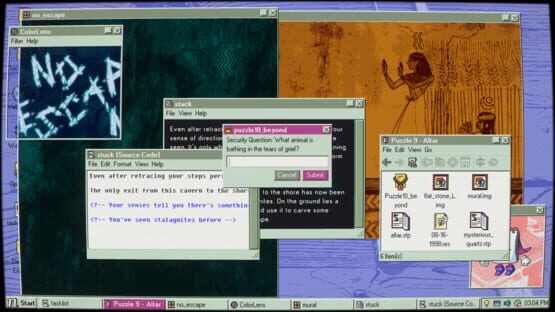
Skipping past files and programs that look decorative tends to cost you in this kind of adventure, since that is often exactly where the most relevant clues of the case are hidden. It's also common to treat the different user profiles as isolated spaces, without looking for connections between what one reveals and what shows up in another, something that in Desktop Explorer is central to understanding the full story. Underestimating the program called Desktop Explorer, treating it as just a game within the game with no real narrative weight, also makes you lose sight of a good part of the mystery.
Taking the time to open every folder and every program before moving on usually pays off in digital mysteries like this, even when something seems to have no direct link to the case. Writing down usernames, dates or details that appear in the different profiles, outside the game, helps you keep the thread among so many fragments of information. Going back to profiles you've already checked after discovering something new elsewhere on the computer also tends to reveal connections that went unnoticed before. Playing with attention to detail, rather than rushing to finish, is how the atmosphere of Desktop Explorer works best.
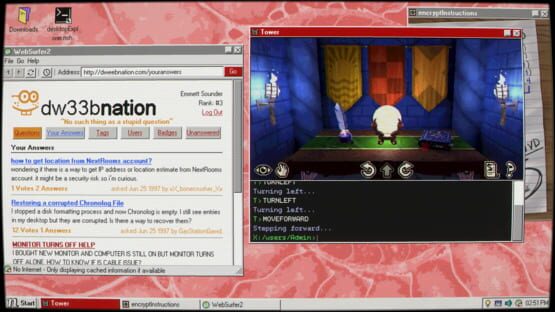
Recurring Dream is listed as the developer of Desktop Explorer and is also part of the publishing team, alongside indienova and Outersloth. It came out for Mac and PC in July 2026, aimed at players who enjoy atmospheric mysteries and slow-paced point and click adventures, with that nineties computer and software look that runs through the whole game.
Desktop Explorer came out on 17 de julio de 2026. Platforms, genres and ratings are on the Desktop Explorer game page.
Related games



Last updated: 23 de noviembre de 2026.
Powered by PairProgramming · custom software development, AI and automation.