


Guide
How to play GameGuru
Where to buy


You don't need any programming background to use GameGuru, a one-of-a-kind tool that lets you create and design your own video games. It's software that puts a full virtual world at your fingertips, with realistic graphics and plenty of options, so you can let your creativity run wild and build your own settings, characters, and adventures.
The premise is simple: you are the creator and director of your own game. You can design everything from natural landscapes to futuristic cities, fill these worlds with characters and interactive objects, and set the rules and mechanics that will govern your creation. The setting is fully customizable, from medieval worlds to science fiction scenarios, which makes it extremely versatile. What really sets it apart from similar programs is its focus on accessibility, letting any user, even with no experience, build 3D games intuitively.

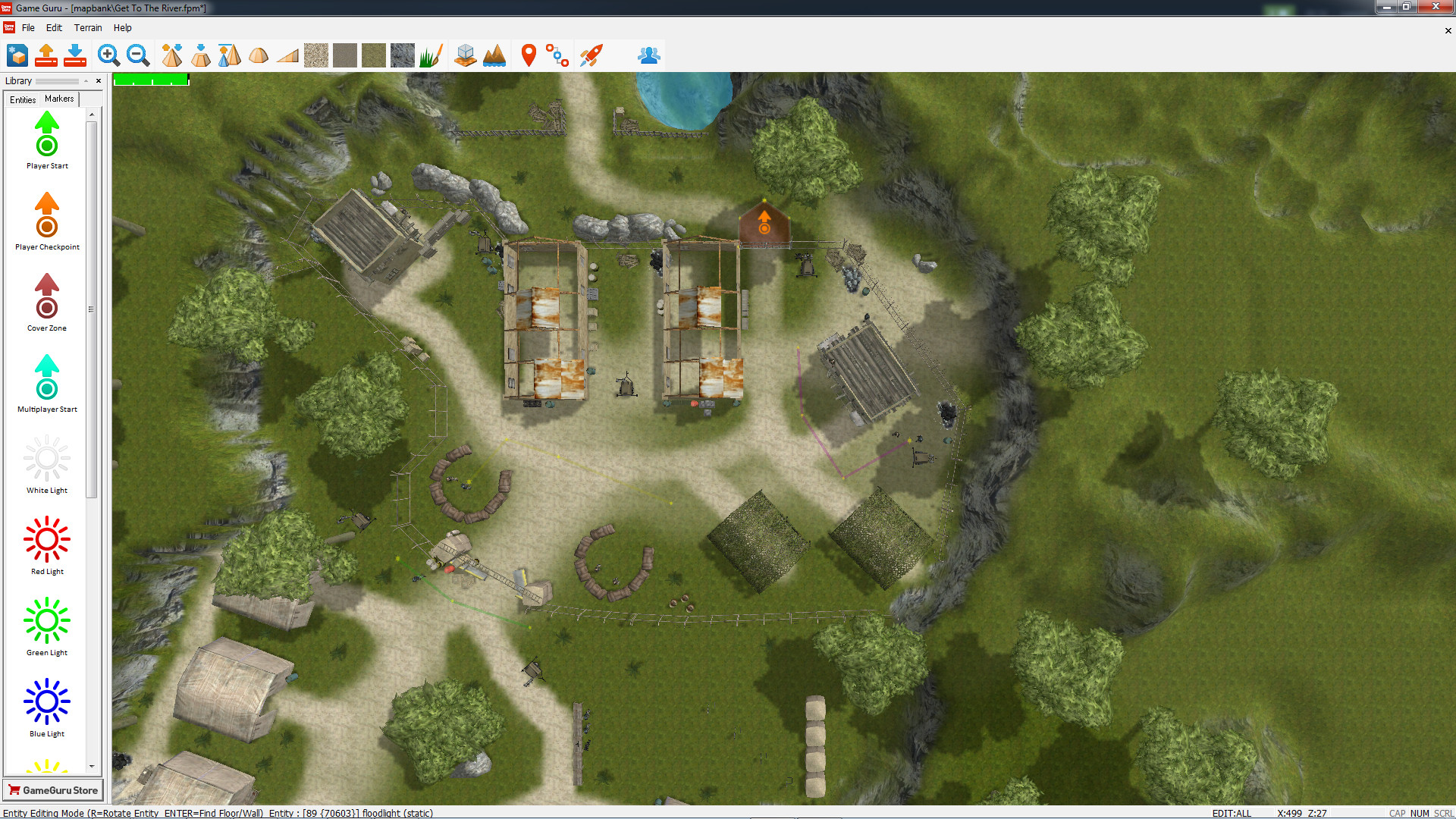
Gameplay centers on building and designing levels. Through a friendly interface, you can select and place different elements in the environment, such as trees, buildings, characters, weapons, and so on. Once the scene is built, you can define how objects and characters interact and behave, creating your own game experience. A typical session can range from making a small level to designing an entire world, depending on your ambition and available time. The core mechanic is placing and customizing elements, adjusting their size, position, and properties to create an interactive world.
When you first open GameGuru, the first thing to do is get familiar with the interface and the available tools. Explore the menus, understand the editing options, and take some time to experiment with the different elements and objects. Start with small projects, like recreating a room or a little garden, to understand how the design tools work and how elements behave in the game.

One of the key systems to understand is physics and collisions, which determines how objects interact with each other and with the environment. It's important to understand how gravity works, how objects collide, and how characters move and react in this virtual world. You should also pay attention to the lighting and visual effects options, since these help create a dense atmosphere.
A common beginner mistake is trying to build projects that are too ambitious before understanding the basic tools. Go step by step, starting with simple projects and gradually increasing complexity. Another frequent mistake is ignoring optimization, which can cause the game to slow down or run into performance problems.

To move forward effectively, it's worth exploring the extensive libraries of pre-built objects and characters that GameGuru offers. These libraries will save you time and make it easier to create complex environments. Also, don't be afraid to experiment and try different combinations of elements, since creativity is key in this process.
GameGuru is designed for players interested in making video games who don't have programming skills. It's an accessible, fun tool that encourages creativity and experimentation. If you've always dreamed of making your own games, GameGuru gives you a chance to become a game designer without the technical barriers of more complex software.
GameGuru came out on 19 de mayo de 2015. Platforms, genres and ratings are on the GameGuru game page.
Related games

Last updated: 6 de noviembre de 2026.
Powered by PairProgramming · custom software development, AI and automation.