Guide
How to play Hand Simulator
Where to buy


PC requirements
Can your PC run Hand Simulator?
- Minimum RAM:
- 2 GB
- Minimum graphics:
- Intel HD 4000
- Minimum storage:
- 3700 MB
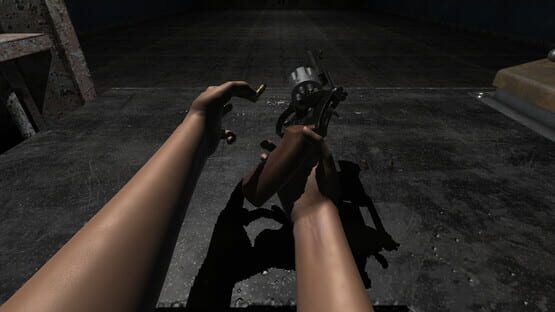
Released on PC on July 18, 2017 by HFM Games, Hand Simulator is a first-person physical hand-control minigame simulation, and it is neither a Western shooter nor a game that demands VR. You control individual virtual hands in a variety of deliberately awkward activities and multiplayer challenges. What sets it apart from a standard shooter is that you are not just aiming and firing with a regular controller: you learn to position each hand, move individual fingers, and pick up and manipulate objects, which makes for a mix of comedy and challenge. A VR headset is optional. Keyboard and mouse are enough to play.
A session is a collection of physics minigames and activities, not a single Western scenario. You use the mouse and keyboard, or VR if you want it, to position your hands, move your fingers, grab and handle objects, and complete the objective of whichever minigame you picked. Some minigames feature physical gun handling, but many have no combat at all. There is no RPG-style progression system. Your improvement comes from completing the small challenges and getting more comfortable with the hand controls. There is also online PvP, and multiplayer requires an online lobby. Single-player activities remain available without VR, and the servers are open.
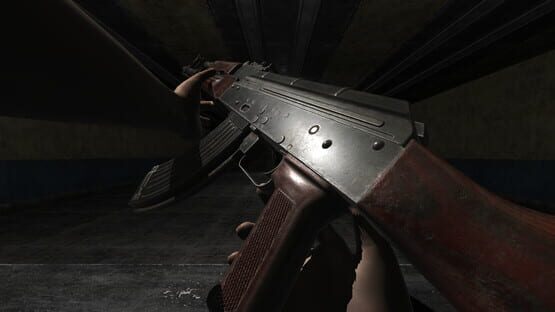
In your first hour, spend your time getting familiar with the controls. Experiment with how your hands move, how each finger responds, and how you grab, hold and release different objects. Try the single-player activities first, since they work without VR and without going online. Once you feel comfortable, move on to the minigames that ask for more precision and try a few of them to see which ones suit you.
There are a few systems worth understanding well. The first is the individual finger control, because every grab and every manipulation depends on how you position your fingers. The second is grabbing and manipulation, which is how you pick up objects, hold them and use them to meet the goal of each minigame. The third is your choice of control scheme: keyboard and mouse, or optional VR support. Pick the one you handle best, since the same minigames can be played with either. If you want to try the online PvP, you will need to join an online lobby.

Beginners tend to make a few typical mistakes that slow down their learning. One of the most common is jumping straight into minigames with firearms or intricate objects before they know how to manipulate individual fingers. Another is assuming you need a VR headset and skipping the game because you do not own one, when keyboard and mouse are enough. A third is expecting a progression system with levels and unlocks, when the game is about completing mini challenges and getting better at the hand controls. Avoiding these mistakes comes down to starting with the basics and letting your skill build up gradually.
A few concrete tips can speed up your learning. First, learn how to manipulate individual fingers before attempting minigames with firearms or intricate objects. Second, start with the single-player activities, which you can play without VR, and treat them as practice for the hand controls. Third, pick whichever control scheme feels most natural to you, whether that is keyboard and mouse or VR, and stick with it while you learn. Finally, move on to the online PvP only once you feel comfortable with your hands, and keep in mind that it requires an online lobby.
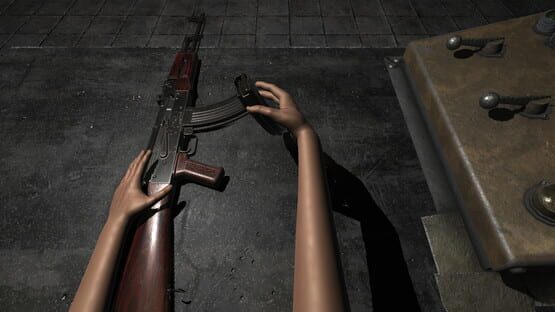
Hand Simulator is meant for players who enjoy physical, awkward controls and are not afraid of experimenting. If you want something different from conventional shooters and you enjoy the fun of making clumsy mistakes and correcting them with practice, you will like it. Fans of physics games and humor will find an entertaining and challenging game here. It is a good fit if you like learning by doing, put up with a learning curve, and want a mix of single-player activities and online PvP, whether you play with keyboard and mouse or with VR.
Hand Simulator came out on 18 de julio de 2017. Platforms, genres and ratings are on the Hand Simulator game page.
Related games


Last updated: 23 de noviembre de 2026.
Powered by PairProgramming · custom software development, AI and automation.