


Guide
How to play LEGO Worlds
Where to buy


PC requirements
Can your PC run LEGO Worlds?
- Minimum RAM:
- 4 GB
- Minimum graphics:
- 512MB GPU with Shaders 3.0
- Minimum storage:
- 10 GB
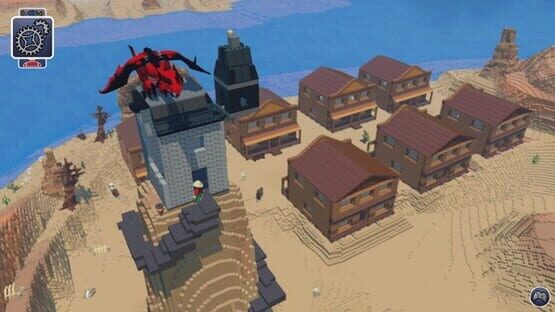
In a procedurally generated open universe where everything is built from LEGO bricks, you'll find LEGO Worlds, an adventure and puzzle game. The premise is simple but powerful: explore, create, and reshape entire worlds however you like, from natural landscapes to complex structures. What sets it apart is its complete freedom to change the environment, whether you're placing bricks one at a time or using large-scale tools to sculpt mountains or carve out oceans. The setting is colorful, full of life, and packed with prebuilt models you can use as a base for your own creations.
The game plays as an open world where each session can feel different depending on what you choose to do. You can explore the randomly generated worlds, solve puzzles to unlock new items or characters, or just build without limits. The core mechanics revolve around manipulating the environment: gathering resources, using tools to reshape the terrain, and dynamic populations that interact with each other. There are also vehicles and creatures you can control to get around the world more quickly.

When you start, the first thing to do is get familiar with the basic controls and building tools. During your first hour, explore the starting world to collect bricks and objects, since you'll need them to build and modify structures. Try the landscaping tools to see how you can alter the terrain, and don't hesitate to experiment with the prebuilt models to understand how the pieces fit together. It's also worth searching for chests and hidden treasures, since they often contain valuable items for your progress.
To move forward, it's important to understand a few core systems. The game rewards creativity, but it also rewards exploration: the more worlds you visit, the more resources and models you'll unlock. The LEGO pieces you collect are stored in your inventory and can be used in any world, so don't hesitate to pick up everything you find. In addition, the characters and creatures you unlock can help you solve puzzles or reach hidden areas, so pay attention to the interactions they offer.

One of the most common mistakes is becoming obsessed with building something perfect right away. It's easy to waste time trying to create complex structures without mastering the basic tools first. To avoid this, start with small projects and gradually raise the difficulty as you gain confidence. Another common mistake is ignoring exploration: many players stay in a single world without realizing there are endless possibilities in other randomly generated ones.
To get ahead, a useful tip is to use the landscaping tools to create solid foundations before you build. For example, flattening the ground gives you a stable surface to place your structures. It also helps to stay organized: keep your most-used items on your quick access bar so you don't waste time searching for them. And remember that the game is designed to be enjoyed at your own pace, so there's no rush to finish everything at once.

LEGO Worlds is for creative players who enjoy the freedom to experiment and build. It will also appeal to anyone looking for a relaxing game with no pressure, where they can explore and let their imagination run wild. Puzzle fans will find some interesting challenges, but the real heart of the game lies in building and customization. If you like the idea of creating your own worlds and watching them come to life, this game is for you.
LEGO Worlds came out on 7 de marzo de 2017. Platforms, genres and ratings are on the LEGO Worlds game page.
Related games



Last updated: 10 de noviembre de 2026.
Powered by PairProgramming · custom software development, AI and automation.