


Guide
How to play Microsoft Flight Simulator
Where to buy


PC requirements
Can your PC run Microsoft Flight Simulator?
- Minimum RAM:
- 8 GB
- Minimum graphics:
- NVIDIA GTX 770 | AMD Radeon RX 570
- Minimum storage:
- 150 GB
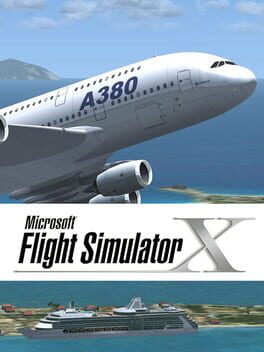
In a virtual world that replicates our planet with striking detail, Microsoft Flight Simulator lets you fly a wide range of aircraft, from small light planes to huge commercial airliners. What sets it apart is its focus on realism. It uses satellite technology and real-world data to recreate landscapes, cities and airports with remarkable accuracy, so you can fly almost anywhere on the globe under realistic weather conditions.
The game is played mostly from a first-person or third-person view inside the cockpit of each aircraft, where you have to manage all of the plane's controls and systems. A typical session starts with flight planning: choosing a departure and destination, setting a route, and considering the weather. Then you run through the pre-flight checklist before takeoff, which includes switching on systems, configuring the controls and communicating with air traffic control. Once you're in the air, you'll need to keep the plane stable, follow your route, handle turbulence and land safely, all while managing resources such as fuel and electrical systems.

When you're starting out, it's best to complete the full tutorial to get familiar with the basic controls and the core principles of flight. Spend your first hour practicing with a simple aircraft like the Cessna 152 or the SR22, since they have fewer complex systems. Try to take off, hold a steady altitude and make smooth turns. Don't worry about reaching a specific destination at first. Focus on understanding how the plane responds to your inputs and getting comfortable with the basic instruments.
To progress, you need to understand a few key systems: flight control (roll, pitch and yaw), engine power management, navigation systems (GPS, VOR, ILS) and weather conditions. Learning to read the flight instruments is essential, especially the attitude indicator, the altimeter and the vertical speed indicator. It also helps to understand how wind affects your track, which will make your navigation more efficient.

Common beginner mistakes include overcontrolling the aircraft, which causes instability, paying too little attention to the right speed and altitude for each phase of flight, and underestimating the importance of the pre-flight checklist. To avoid these mistakes, keep your control inputs smooth and gradual, monitor your instruments constantly and follow the established procedures without skipping steps.
To improve faster, consider using the flight assistance to reduce the initial complexity while you learn, then turn it off gradually as you get more comfortable. Practice different types of airport approaches, including instrument approaches (ILS), and try different weather conditions to test your skills. Recording your flights to review them later is also useful for spotting areas where you can improve.

Microsoft Flight Simulator is aimed mainly at players who enjoy realistic simulation, have the patience to learn complex systems and appreciate contemplation and deep focus more than fast action. If you enjoy planning, paying attention to detail and the satisfaction of mastering technical skills, this game will be deeply rewarding. It can also appeal to aviation enthusiasts, real pilots in training, or anyone looking for a relaxing, meditative experience.
Microsoft Flight Simulator came out on 17 de agosto de 2020. Platforms, genres and ratings are on the Microsoft Flight Simulator game page.
Related games


Last updated: 10 de noviembre de 2026.
Powered by PairProgramming · custom software development, AI and automation.