


Guide
How to play Surgeon Simulator
Where to buy


PC requirements
Can your PC run Surgeon Simulator?
- Minimum RAM:
- 2 GB
- Minimum graphics:
- Nvidia Geforce 7800 GT
- Minimum storage:
- 500 MB HD space
The title puts you in the shoes of Nigel Burke, a surgeon working at a fictional hospital in the UK. Over time he goes from treating a patient named "Bob" to operating in settings as strange as a space station or even an alien creature. The look mixes the feel of a medical simulator with an exaggerated, comedic tone, and the game stands apart from other simulation titles because its controls are deliberately clumsy. That clumsiness creates chaotic, funny situations, and that is really the heart of the game.
It's a first person experience where the mouse controls the surgeon's hand. Holding down the right button rotates the hand, while the left button lowers it to grab or manipulate objects. The A, W, E and R keys and the spacebar are assigned to the fingers, so each one can be used on its own to hold instruments, cut or stitch. Each session is an attempt to finish an operation, such as a heart transplant, within a time limit. Once you clear the opening missions, extra modes unlock, like an ambulance with bouncing instruments or a zero gravity setting where everything floats.

When you first start, the best thing to do is get used to the control scheme before attempting a full surgery. Spend the first few minutes moving the hand freely, testing rotation with the right button and experimenting with picking up objects using your fingers. Once you feel comfortable, choose Bob's basic operation and focus on following the on-screen steps without worrying too much about perfection. Repeated practice in that first hour is what builds the coordination you'll need for the harder challenges ahead.
The things that make the biggest difference are controlling each finger individually, handling the surgical instruments and managing the time available for each phase of the operation. Understanding how the hand's position affects the precision of cuts and stitches is essential, and so is learning to switch tools without losing control. The unlocked modes also add variables like objects that bounce or the absence of gravity, so it's worth experimenting with them once you've mastered the basics.

Beginners often make mistakes like moving the hand too fast, which sends instruments sliding out of view, or trying to use several fingers at once before they've practiced, which leads to erratic grabbing. Another common error is neglecting the spacebar, which controls the thumb, and ending up unable to hold the scalpel properly. To avoid these problems, move forward step by step, first mastering rotation and lowering the hand, and only then combining several fingers in more complex actions.
An effective strategy is to break each operation into small steps: first position the hand, then rotate until the instrument lines up, and finally lower the hand to grab it. Keep your eyes fixed on the cutting or stitching point and take short pauses to readjust your fingers before each critical action. In the advanced modes, use the physics of the environment to your advantage. In zero gravity, for example, you can use the momentum of the instruments to move them without having to hold them constantly. Practicing the optional challenges also helps sharpen your coordination and unlock new tools that make the harder surgeries easier.
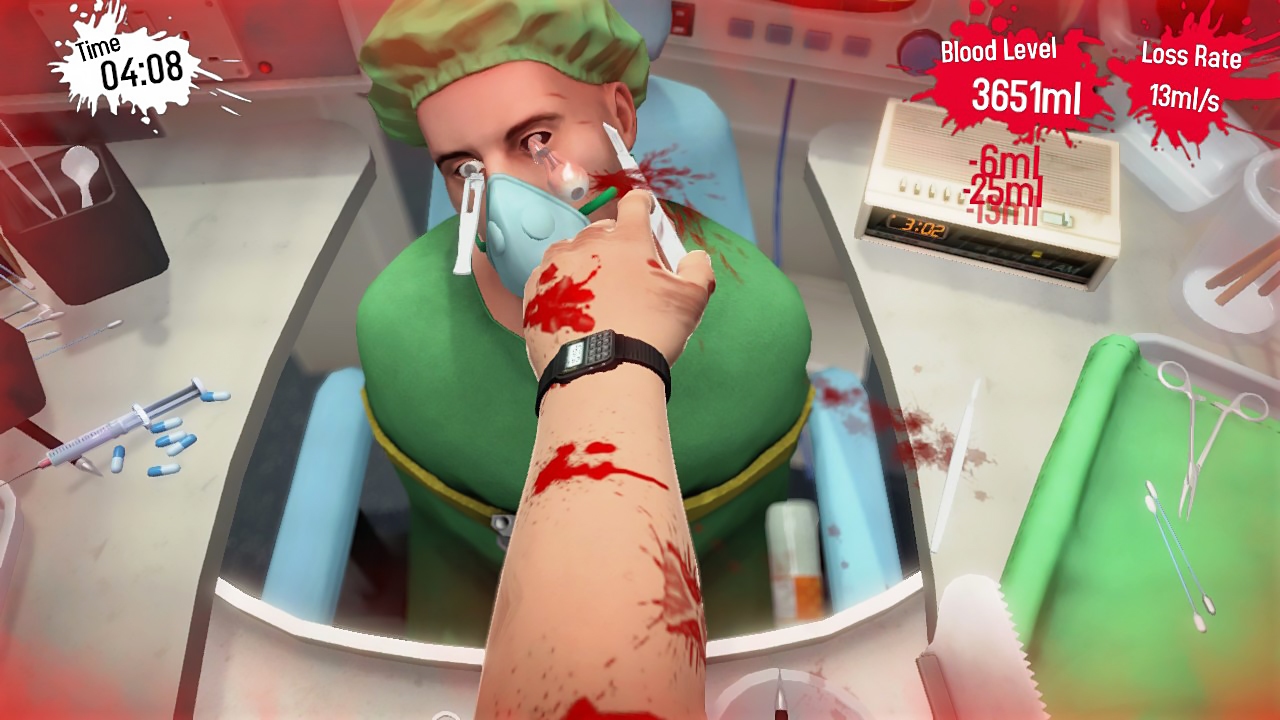
The game appeals to players who enjoy challenges based on manual dexterity and absurd humor, as well as those who want a simulation experience that doesn't aim to be realistic but focuses on the fun that comes from controlled clumsiness. If you appreciate indie games with original mechanics and you're willing to invest time in learning an unconventional control scheme, this one offers a fun way to experience life as a surgeon without the risks of the real thing.
Surgeon Simulator came out on 18 de abril de 2013. Platforms, genres and ratings are on the Surgeon Simulator game page.
Related games


Last updated: 6 de noviembre de 2026.
Powered by PairProgramming · custom software development, AI and automation.